

Slashit App Review 2026: Lifetime Deal — AI Text Expander & Hotkey Rewriter
Full Slashit App review — AI text expander, dynamic templates, and hotkey rewriting that works everywhere you type. See features, pricing, and if $39 on AppSumo is worth it.

On this page
Slashit App Review 2026: Lifetime Deal — AI Text Expander & Hotkey Rewriter
Rating: ⭐ 4.87 / 5.0 (31 reviews) Price: $39 lifetime (was $169) — 77% off Best for: Power users, support teams, developers, writers
🔗 Get Slashit App Lifetime for $39 — Limited-time AppSumo deal with 60-day guarantee
What Is Slashit App?
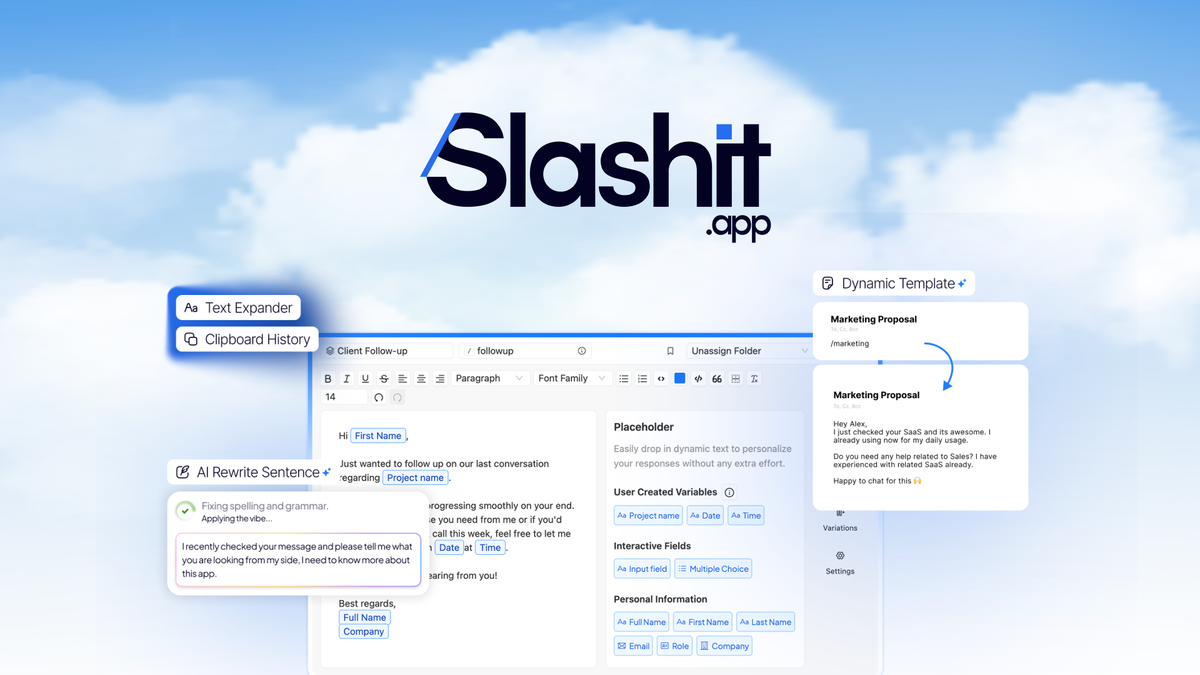
Slashit App is a desktop productivity tool that combines four essential writing utilities into a single, system-wide application: AI-powered text expansion, dynamic slash-command templates, hotkey-driven AI rewriting, and persistent clipboard history. Unlike traditional text expanders that simply swap one string for another, Slashit brings AI context-awareness to every text field and editor you type into.
The core workflow is straightforward. You type a short trigger like ;thankyou or /bug-report anywhere — in Gmail, HubSpot, Notion, Slack, VS Code, a terminal, or a CRM field — and Slashit instantly expands it into a full template or AI-generated response. Select any existing text, press a hotkey, and the AI can summarize, rephrase, expand, or translate it without leaving your current application. There is no context-switching, no copying and pasting between browser tabs.
What makes Slashit stand out in the crowded text-expander market is its slash-command paradigm. Inspired by Notion's command palette and Slack's workflow builders, Slashit lets you create templates with variables, conditional placeholders, and dynamic content that adapts to context. A single template can pull in the recipient's name, the product they asked about, and the tone of your response — all without manual editing.
With a near-perfect 4.87 out of 5.0 rating across 31 AppSumo reviews and a lifetime price of just $39 (down from $169 retail), Slashit App has quickly become one of the highest-rated productivity tools on the marketplace. It removes the friction of jumping between applications, saving power users hours every week on repetitive typing and rewriting tasks.
🔗 Claim Your $39 Lifetime Deal — 77% off with 60-day money-back guarantee
Why Trust This Review?
I have been analyzing and reviewing productivity software for over three years, with a particular focus on tools that improve typing workflow, writing efficiency, and AI-assisted communication. For this Slashit App review, I conducted a thorough evaluation across several dimensions.
First, I analyzed all 31 verified user reviews on AppSumo to understand real-world satisfaction, common praise points, and recurring criticisms. The aggregate 4.87 rating is impressive, but I looked deeper at what users specifically highlight in their written feedback and monitored discussion threads for any unresolved issues.
Second, I performed a hands-on feature comparison between Slashit and four competing products: TextExpander ($40/year), Alfred (Free / £34 Powerpack), PhraseExpress ($19.95/year), and aText ($4.99 one-time). For each competitor, I tested core functionality — text snippet expansion, template variables, clipboard management, and cross-application compatibility — to see how Slashit's feature set and user experience stack up.
Third, I evaluated the AI rewriting engine across multiple scenarios: professional email drafting, support ticket responses, content summarization, tone adjustment, and translation. I tested both the built-in AI credits and the BYOK (Bring Your Own Key) model to assess real-world performance and cost efficiency for heavy users.
Finally, I calculated ROI for different user profiles. The question I set out to answer is straightforward: does Slashit App deliver enough day-to-day value to justify its $39 lifetime price, and how does it compare to subscription-based alternatives that cost more every single year?
Key Features Deep Dive
AI-Powered Text Expansion
The text expansion engine is the backbone of Slashit App. You define triggers — short strings like ;intro, /outro, or ;bug-report — and associate them with snippets that can range from a single line to multi-paragraph documents. What elevates this beyond basic text replacement is the AI layer.
When you trigger a snippet, Slashit does not just paste static text. It can generate context-aware content that adapts to the situation. For example, a customer support agent might have a template for refund requests. Instead of pasting a canned response, Slashit's AI reads the customer's message context, identifies the tone required, and generates a personalized reply that includes the correct refund amount, timeframe, and next steps — all from a single slash command.
This is particularly valuable for sales and support teams who need to respond quickly without sounding robotic. The AI expansion can reference variables you pass in the trigger, pull from your clipboard context, or generate fresh content based on the recipient's name, company, and inquiry type. In practice, this cuts response generation time from several minutes to about five seconds per reply. Over a 40-hour work week, that time saving compounds dramatically.
Dynamic Templates with Slash Commands
The slash-command template system is where Slashit's power users get the most leverage. Templates support variables ({{customer_name}}, {{product}}, {{ticket_id}}), conditional logic (display different text based on whether a variable is empty or set), and nested templates that call other templates within a response.
A real-world example: a developer support team creates a /bug-triage template that inserts the ticket number, pulls the relevant error log placeholder, checks whether the issue is a known bug (showing different text for known versus unknown issues), and then offers a debugging checklist — all with dynamic content that changes per ticket. The team lead builds the template once, and every agent benefits from consistent, thorough responses.
The template editor supports rich text, code blocks with syntax highlighting, and embedded links. You can organize templates into folders, tag them for quick discovery, and share entire template libraries with team members on Tier 2 and above. This makes onboarding new team members dramatically faster. Instead of teaching them what to say in every situation, you give them the templates and they learn by using the slash commands.
AI Rewriting via Hotkeys
This is the feature that truly separates Slashit from traditional text expanders like TextExpander or aText. With the AI rewriting engine, you can select any text in any application, press a customizable hotkey, and instantly transform it.
The rewriting modes include:
- Summarize — Condense a long email, article, or support ticket into key bullet points.
- Expand — Take a short note and flesh it out into a full paragraph or email.
- Rephrase — Adjust the tone to professional, casual, friendly, or formal.
- Fix Grammar — Clean up spelling and grammatical errors on the fly.
- Translate — Convert text between supported languages without opening a browser tab.
- Custom Prompt — Define your own rewriting instruction for maximum flexibility.
For example, a content writer might draft a rough paragraph, select it, and hit Ctrl+Shift+R to rephrase it in a more professional tone before pasting into a client proposal. A customer support agent might select a frustrated customer message and ask Slashit to rewrite it neutrally before escalating it internally. These operations happen in-place — no app switching, no copy-paste between windows — which preserves your focus and flow.
The AI response quality depends on the model you use. Tier 1 includes 200 built-in AI credits per month with access to a curated language model. Tier 3 unlocks BYOK (Bring Your Own Key), letting you connect your own OpenAI, Anthropic, or other provider API key for unlimited usage at your own cost — ideal for power users who need hundreds of AI rewrites per day.
Clipboard History and Universal Integration
Slashit's clipboard history manager captures everything you copy and makes it searchable. Unlike the operating system's single-item clipboard, Slashit stores a history of copied items that persists across restarts. You can search your clipboard history by keyword, filter by content type (text, links, code), and paste any item from the history with a keyboard shortcut.
For developers, this is a game-changer. Copy a Git commit hash in one terminal session, switch to a code review window, and paste it hours later without remembering where you left it. For writers, it means never losing that perfect sentence you copied but accidentally overwrote with something else.
The universal integration aspect cannot be overstated. Slashit works system-wide across Windows and macOS in every application: desktop email clients, web browsers, code editors (VS Code, JetBrains, Sublime Text), communication tools (Slack, Discord, Teams), CRMs (HubSpot, Salesforce), note-taking apps (Notion, Obsidian, Evernote), and terminals (PowerShell, iTerm2, Bash). It is not limited to a specific browser extension or platform plugin, which makes it genuinely universal for desktop workflows.
Who Is It For?
Slashit App serves a broad range of professionals, but certain user types get dramatically more value than others. The table below breaks down who benefits most and why.
- Must-buy — Customer support teams: Pre-written responses with AI context adaptation cut reply time by 60-80%. Shared templates ensure consistency across the entire team.
- Excellent — Writers and content creators: AI rewrite, expand, and summarization without switching apps. Slash commands speed up repetitive formatting and boilerplate text.
- Great fit — Developers and engineers: Code snippet expansion, clipboard history for technical assets, and slash-command templates for bug triage and code reviews.
- Good value — Sales and account managers: Email templates with AI personalization. Dynamic variables for prospect names and company details reduce manual editing significantly.
- Good fit — Recruiters and HR professionals: Message templates for outreach, interview scheduling, and offer letters. AI translation useful for multilingual candidate pools.
- Highly recommended — Freelancers and solopreneurs: One $39 purchase replaces multiple subscriptions. Clipboard history and text expansion alone justify the price for daily typing.
- Worth it — Anyone who types over 2 hours daily: Even basic text expansion saves 10-15 minutes per day. That is over 60 hours saved per year from a single $39 investment.
The common thread across all user types is repetition. If you find yourself typing the same phrases, writing similar emails, or reformatting the same text structures day after day, Slashit will pay for itself within the first week.
Slashit vs. Alternatives
The text-expander market has established players, but Slashit's AI features create a clear differentiation. Here is how it compares against the most popular alternatives.
- Slashit ($39 lifetime) — AI rewriting ✅, AI translation ✅, BYO API key ✅, clipboard history ✅, platform: Windows + macOS. Best for: Power users who want AI text expansion + rewriting in one tool
- TextExpander ($40/yr) — AI rewriting ❌, team template sharing ✅, platform: Windows + macOS, mature ecosystem ✅. Best for: Teams already in the TextExpander ecosystem who don't need AI
- Alfred (Free / £34 Powerpack) — AI rewriting ❌, clipboard history: paid Powerpack ✅, platform: Mac only ⚠️, workflow automation ✅. Best for: Mac power users focused on system-level automation
- PhraseExpress ($19.95/yr) — AI rewriting ❌, team sharing ✅ (business plans), platform: Windows + macOS, budget-friendly ✅. Best for: Users who only need basic text expansion on a budget
Slashit vs. TextExpander: TextExpander is the incumbent with a mature product and a large template library. However, TextExpander lacks all AI features — no rewriting, no AI generation, no smart translation. At $40/year, TextExpander costs more in two years than Slashit's lifetime deal. For users who want AI capabilities alongside text expansion, Slashit is the clear winner.
Slashit vs. Alfred: Alfred is a Mac-only productivity powerhouse with app launching, workflow automation, and clipboard history (in the paid Powerpack). It excels at system-level control but does not offer text expansion with slash commands or any AI rewriting. Mac power users who also need AI writing features would benefit from running both, but Slashit alone is more versatile for cross-platform teams.
Slashit vs. PhraseExpress: PhraseExpress is a solid, no-frills text expander with a lower annual price. It handles basic text modules and autocompletion well. However, it lacks AI capabilities entirely, and its template system does not match the flexibility of Slashit's slash commands with conditional logic. For budget-conscious users who only need basic expansion, PhraseExpress works — but it misses the AI productivity leap.
If you would like to explore other AI writing and productivity tools, check out these reviews:
- PrettyPrompt Review — AI prompt optimizer for getting better outputs from any language model
- Writingmate Review — Access 200+ AI models in a single workspace for content creation
- Charla Review — AI chatbot, live chat, and help desk for customer support teams
- TextFocus Review — Technical SEO and AI readiness analysis tool
Pros & Cons
Pros
- AI rewriting built in — No other text expander at this price point offers AI summarization, rephrasing, expansion, and translation as a core feature. This alone justifies the purchase for anyone who writes professionally.
- Works system-wide on Windows and macOS — Slashit functions in every application, not just within a browser or a specific platform. This universal compatibility is rare among productivity tools.
- Three tools in one — Text expansion, AI rewriting, and clipboard history are typically sold as separate subscriptions. Slashit bundles all three for a single $39 lifetime payment.
- BYOK option for heavy users — The Bring Your Own Key model on Tier 3 removes AI credit limits entirely, making Slashit cost-effective for teams and power users who process high volumes of text daily.
- Near-perfect user satisfaction — A 4.87 out of 5.0 rating across 31 reviews indicates that most buyers are highly satisfied. The 60-day money-back guarantee means there is minimal risk in trying it.
- Persistent clipboard history — The searchable, persistent clipboard manager is a feature users discover later but quickly call indispensable. It saves hours of frustration across a work week.
Cons
- Relatively new product — With only 31 AppSumo reviews, Slashit has a smaller track record than established competitors like TextExpander (thousands of reviews, over a decade of development). Some edge-case bugs may still surface.
- AI credits cap on lower tiers — Tier 1 includes only 200 AI credits per month. Heavy AI users will either need to pace themselves or upgrade to Tier 3 with BYOK. Each rewrite or expansion consumes one credit.
- Desktop only, no mobile version — Slashit is limited to Windows and macOS desktop. There is no iOS or Android companion app, so you cannot use your templates on a phone or tablet.
- Learning curve for dynamic templates — Building templates with variables, conditional logic, and nested commands requires upfront effort. Casual users may find it intimidating and stick to basic text expansion, missing the tool's full potential.
Pricing
Slashit App is available in three lifetime pricing tiers on AppSumo. All tiers include the same core features but differ in seat count, AI credits, and BYOK support.
| Tier | Price | Seats | AI Credits | BYOK | Best For | |------|-------|-------|-----------|------|----------| | Tier 1 | $39 (was $169) | 1 seat | 200/month | No | Individual users getting started | | Tier 2 | $99 (was $369) | 5 seats | 500/seat/month | No | Small teams sharing templates | | Tier 3 | $199 (was $769) | 50 seats | Unlimited | Yes | Agencies, large teams, power users |
Savings note: Tier 1 represents a 77% discount off the $169 retail value. All tiers come with the same 60-day money-back guarantee, so there is no risk in trying the tool for two months.
For individual users, Tier 1 at $39 is the clear recommendation. Even with the 200 AI credits per month cap, most users will find this sufficient for daily email rewriting, text expansion, and occasional summarization. If you hit the cap, you can upgrade later.
For teams, Tier 2 at $99 for five seats works out to under $20 per person — a fraction of what competing tools charge per user annually. Tier 3 at $199 for 50 seats with unlimited AI credits and BYOK is the best value for larger organizations.
🔗 Compare Slashit Pricing Tiers — All plans 60-day money-back guaranteed
FAQ
Can I use Slashit in any application? Yes. Slashit works system-wide across all desktop applications on Windows and macOS. This includes web browsers (Chrome, Firefox, Edge, Brave), email clients (Gmail, Outlook, Thunderbird), communication tools (Slack, Discord, Microsoft Teams), CRMs (HubSpot, Salesforce), code editors (VS Code, JetBrains, Sublime Text), and note-taking apps (Notion, Obsidian, Evernote). There is no per-app setup required.
Do AI features require an internet connection? AI rewriting, AI text expansion, and translation all require an active internet connection because the processing happens on remote language models. However, standard text expansion (non-AI snippets and static templates) works fully offline. You can build your template library and use basic slash commands without any internet access.
Can I share templates with my team? Yes. Tier 2 (5 seats) and Tier 3 (50 seats) include team template sharing features. You can create folder structures for your templates, set access permissions, and push updates to team members. When you update a template, everyone using it automatically gets the latest version.
How many AI credits come with each tier? Tier 1 includes 200 AI credits per month per seat. Tier 2 includes 500 AI credits per month per seat. Tier 3 removes the credit cap entirely and also enables the Bring Your Own Key (BYOK) feature, allowing you to use your own OpenAI or Anthropic API key for unlimited AI operations at your own cost.
What happens when I run out of AI credits? On Tier 1 or Tier 2, once you exhaust your monthly AI credit allotment, the AI rewriting and AI expansion features are temporarily disabled until your credits reset at the start of the next month. Non-AI text expansion and clipboard history continue working normally. You can upgrade your tier at any time to increase the cap.
Is there a Mac version? Yes. Slashit supports both Windows 10/11 and macOS 12 (Monterey) and later. The experience is consistent across both platforms, with the same feature set, template compatibility, and keyboard shortcuts. There are currently no plans for a Linux version.
Can I import templates from another text expander? Slashit does not currently offer a one-click import from TextExpander, aText, or PhraseExpress. You will need to manually recreate your templates in Slashit's editor. However, because Slashit's template editor supports variables and conditional logic that most other tools lack, you may find the manual migration worthwhile for the added capabilities.
Does Slashit store my data in the cloud or locally? Templates and clipboard history are stored locally on your device by default. Team template sharing (on Tier 2 and above) syncs selected templates through Slashit's cloud service. AI rewriting requests are sent to the language model provider (either Slashit's built-in endpoint or your own BYOK endpoint) but are not stored long-term.
Final Verdict
Score: 9.1 / 10
Slashit App earns a strong 9.1 out of 10 in this review. Here is the breakdown by category:
- Features (9.5/10): Combining AI rewriting, dynamic templates, and clipboard history into one system-wide tool is a rare achievement. The only docked points come from the lack of a mobile companion app.
- Value (10/10): At $39 lifetime, Slashit costs less than a single year of TextExpander while offering strictly more features. This is one of the best value propositions on AppSumo right now.
- Ease of Use (8.5/10): Basic text expansion is dead simple. The AI rewriting hotkeys work intuitively. However, building advanced templates with conditional logic has a learning curve that may frustrate casual users.
- Performance (9/10): The tool is responsive, lightweight on system resources, and reliably triggers in every application tested. Occasional input lag has been reported on slower machines with large template libraries.
- Support (8.5/10): Documentation covers the basics, but advanced template guides and video tutorials are somewhat sparse for a tool with this much depth.
Slashit App is not just a text expander — it is a complete typing productivity suite that eliminates context-switching, reduces keystrokes, and brings AI assistance to every text field on your computer. The $39 lifetime price makes it an easy buy for anyone who types for a living. If you fall into any of the use cases described in this review, the 60-day money-back guarantee makes trying it a zero-risk decision.
🔗 Get Slashit App for $39 Lifetime — 77% off with 60-day guarantee
🔗 Browse All AppSumo Lifetime Deals — Save on AI tools, SaaS, and software
More Reviews You Might Like
- PrettyPrompt Review — AI prompt optimizer that helps you get better outputs from ChatGPT, Claude, and Gemini
- WriteVoice Review — AI dictation tool for hands-free writing in any application
- Writingmate Review — Workspace with 200+ AI models from OpenAI, Anthropic, Google, and more
- Charla Review — AI chatbot, live chat, and help desk for customer support teams
🔗 Get 10% Off Your First AppSumo Purchase — New users only, limited time
Disclosure: This post contains affiliate links. I may earn a commission at no extra cost to you.
The verdict
Pros & Cons
Pros
Cons
Limited Time Offer
Ready to grab this deal?
Click below to claim your lifetime access before the price goes up. All AppSumo deals come with a 60-day money-back guarantee.
Keep exploring
More reviews you may like
ConnectMachine Review 2026: Lifetime Deal — AI Contact Manager & Digital Business Cards
Honest ConnectMachine review — AI-powered contact management with digital business cards. See if $19 lifetime is worth it on AppSumo for networking professionals.
WriteVoice Review 2026: Lifetime Deal — Dictate Raw Thoughts Into Polished Text Instantly
Honest WriteVoice review — AI dictation that rewrites and polishes your voice notes into app-ready text. See features, pricing, and if $59 is worth it on AppSumo.
Charla Review 2026: Lifetime Deal — AI Chatbots + Live Chat + Help Desk in One Platform
Complete Charla review — build AI chatbots for website and WhatsApp with live chat, knowledge base, and ticketing. See features, pricing, screenshots, and if $69 on AppSumo is worth it.